
Measurements to take
- Table depth after place settings
- A clear path to an outlet
- Storage footprint for the closed work kit
This guide contains no affiliate links or sponsored product recommendations.
Define the closed state
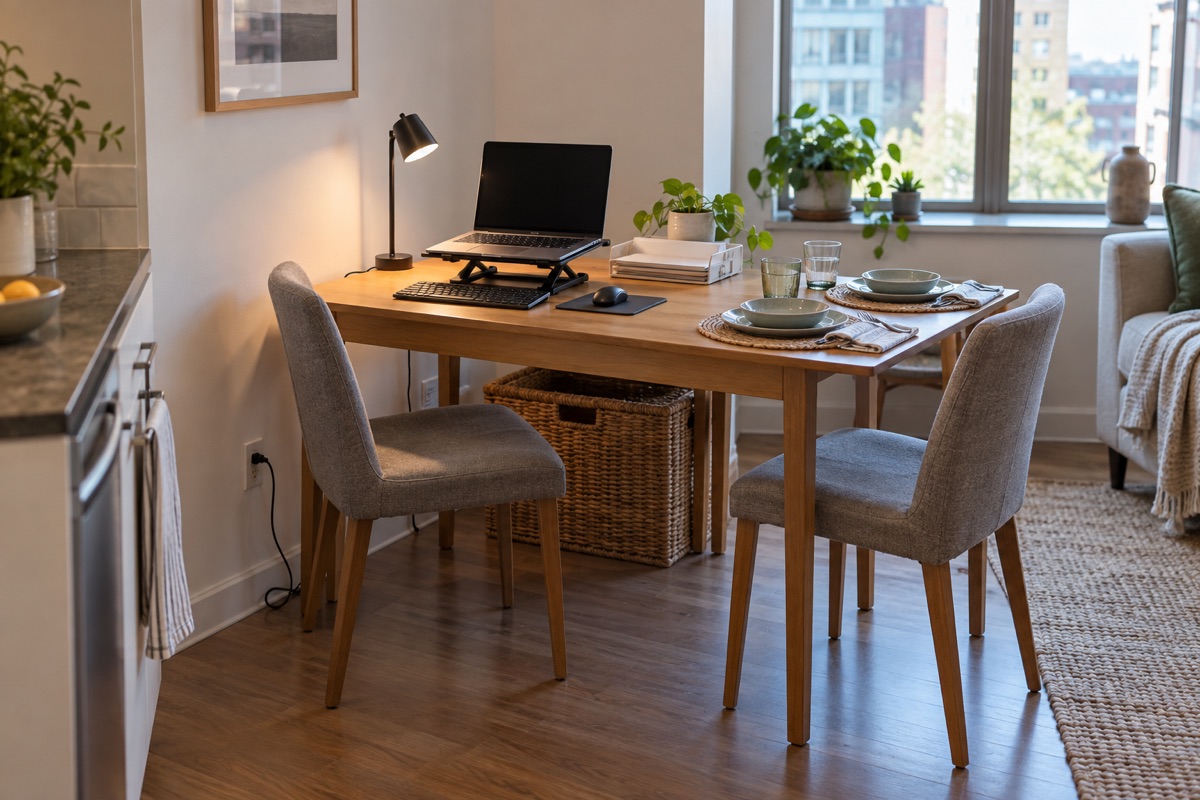
Before organizing the workday, choose where the laptop, notebook, charger and papers will go at dinner. A shelf or lidded box within a few steps of the table is more likely to be used than a distant closet. The closed state needs enough capacity without becoming a pile.
Build a portable kit
Group the pieces that travel together on a sturdy tray or in a handled box. Keep pens in one cup, active papers in one folder and cables in a small pouch. Leave unrelated supplies where they belong. The goal is a single trip, not an elaborate desktop that must be dismantled every evening.
Check the working position
Sit in the actual chair and check screen height, elbow room and glare. Use a stable support rather than a precarious stack; an external keyboard may help when a laptop screen is raised. Move a lamp until it lights the work without reflecting in the display, and route its cord away from feet.
Practice the five-minute close
Set a timer once and put everything away. If the process takes too long, reduce the number of loose pieces. Wipe the table and return the room to its next use. A shared space works best when both states are easy, not when one always wins.
Before you call it done
- Choose the storage destination first
- Group active tools in one kit
- Check seating, glare and cords
- Practice clearing the table